Security Guard App • Built for Real Operations
Security Guard App That Actually Gets Used
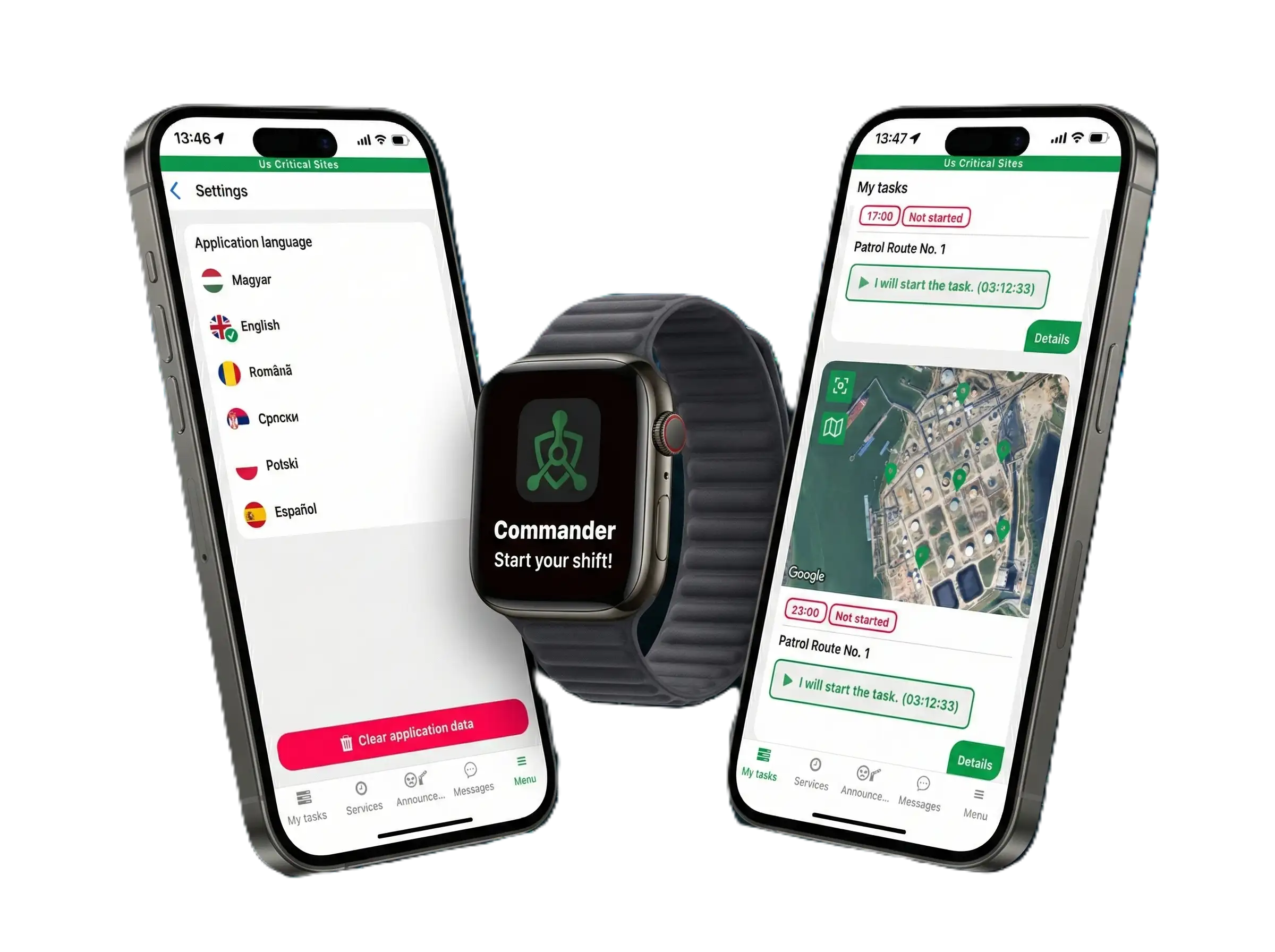
Turn your guards’ smartphones into a complete security guard app for patrol execution, incident reporting, and field verification — with no extra hardware and a fast rollout.
- Works on iOS & Android
- No extra devices required (BYOD)
- Fast rollout — no onboarding calls required
- Security Guard App • BYOD • Patrol Reporting
- No Hardware • Fast Setup • Works on Any Phone
Trusted by real security teams — not built in a lab.
Built by a veteran police commander with 26 years of field experience, Digital Guard Tour was designed for real patrol work, real supervisors, and real accountability.
- No paperwork
- No “creative” reports
- Only verifiable actions
Why modern security teams need a security guard app
Paper logs, phone calls, and end-of-shift summaries are no longer enough for modern security operations. Supervisors need visibility while patrols are happening, and clients increasingly expect verifiable proof of service instead of handwritten reports.
A modern security guard app gives guards a practical field tool for patrol execution, checkpoint confirmation, and incident reporting — while giving supervisors a live operational view inside a complete guard tour system.
That is why the best security guard app is not the one with the longest feature list. It is the one guards can actually use during real shifts without friction, extra hardware, or complicated workflows.
From setup to live patrols in minutes
Set up your site
Add locations, invite guards, and define checkpoints without unnecessary setup complexity.
Guards use their own phones
They sign in and begin using the app quickly, with minimal training required.
Everything appears instantly
Patrols, incidents, and field activity become visible in real time inside one operational system.
This is how a security guard app gets adopted in real operations.
Start Free Trial — Run Your First Patrol TodayEverything your guards actually need — nothing they don’t
Bring Your Own Device
Use existing smartphones as your security guard app — no RFID readers, no scanners, and no dedicated hardware costs.
Instant Incident Reporting
Take photos, add notes, and include GPS coordinates so reports can be sent from the field in seconds.
Built for Real Use
A simple interface designed for guards, not engineers. Minimal taps. Minimal friction.
Real-Time Sync
Every action appears inside the system without manual uploads or delayed reporting workflows.
Inside the guard app: what officers use on every shift
Encrypted in-app chat
Guards and supervisors message each other inside the app, so shift communication stays out of personal messengers.
Voice messages
When typing is not practical, guards send a short voice message straight from the patrol screen.
Dictation
Speech-to-text turns spoken notes into written incident details, even with gloves on.
Photo incident reports
Photos, notes and a timestamp are recorded on site and reach supervisors immediately.
Vehicle entry & exit log
Plate, driver, company, cargo and waybill, with QR waybill scanning and up to two photos per entry.
Shift start & patrol tasks
Guards start the shift in the app; if a scheduled patrol has not started within 20 minutes, supervisors get an alert.
How the system actually works
GPS tracking only starts when the guard begins the patrol.
Background tracking is never active.
Checkpoint order is not enforced by design.
The system verifies actions — not just location.
This is not tracking. This is verification.
What users see in the field
Shift start
Guards begin their shift in a few taps using the phone they already carry, as part of a broader guard tour app workflow designed for field teams.
QR scan
Checkpoints can be verified quickly without slowing down field movement.
Incident report
Reports include photos, notes, and GPS context directly from the field.
Live dashboard
Supervisors see activity instantly without waiting for end-of-shift summaries.
If guards don’t use it — the system fails
Most security software looks good in a demo. It fails when the people in the field do not use it correctly during real shifts.
Digital Guard Tour takes a different approach:
Fast to learn
Simple enough for quick adoption across security teams.
Fast to use
Designed for real shifts, not long training sessions or complicated workflows.
Built for the field
If a tool slows the guard down, it does not work. This one is designed not to.
Security guard app FAQ
Is there a free security guard app?
Digital Guard Tour can be tested free for 14 days on a real site, with no credit card. Paid plans start at $34 per month for up to 2 sites and 8 guards. See all plans.
Does the app work on iPhone and Android?
Yes. The app is available on the App Store and Google Play and runs on the phones guards already carry. It has been tested on iOS 27.
Is the guard tracked all the time?
No. Location is recorded only during the shift, from the moment a task starts. Outside working hours the app does not track the guard.
Is a security guard app the same as a guard tour system?
The app is the field side. A guard tour system adds the supervisor dashboard, patrol history, alerts, client access and reports. What is a guard tour system.
Start using a security guard app your team won’t ignore
No extra hardware. No setup calls. No unnecessary complexity. Just real, verifiable security operations.