Daily patrol workflow on Android & iOS
This page describes what happens during a real shift — the steps that create verifiable patrol proof. It focuses on the operational lifecycle: start, verify, report, and close.
A guard tour app is not a checklist. It is a patrol verification tool.
The goal is simple: patrol work should be provable without manual reconstruction.
GPS outdoors + QR indoors (one shift, one workflow)
In real operations, teams use both methods depending on the environment. The workflow stays the same — only the verification method changes.
GPS patrols (outdoors)
Ideal for parking lots, industrial sites, logistics yards, and open facilities. Route history and timestamps remain connected while the patrol is active.
GPS tracking only starts when a patrol begins. It never runs in the background.
No passive tracking, no silent collection, and no geofencing.
QR checkpoints (indoors + controlled areas)
Used where GPS is unreliable: buildings, malls, residential complexes, indoor routes. QR confirms presence at a checkpoint while the system preserves the context around that scan.
QR codes verify presence. Context verifies patrols.
Context includes patrol status, time window, assigned task, and incident handling when needed.
What “context” looks like in real patrol proof
Patrol proof becomes audit-ready when time, location, and actions stay connected — not reconstructed later from editable notes.
How a patrol starts on Android & iOS (the real workflow)
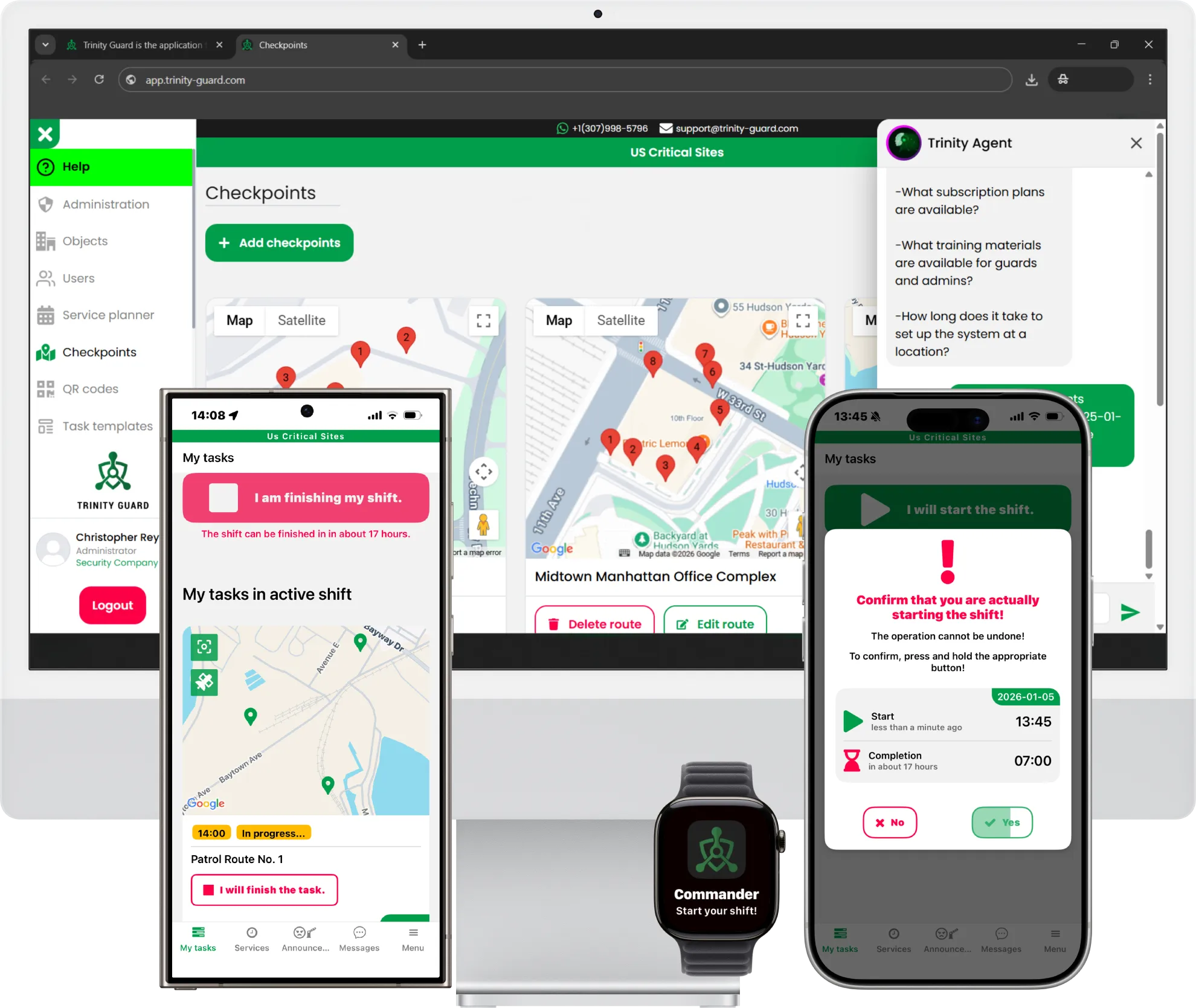
A modern guard tour workflow is simple — and auditable:
- The guard logs in to the security guard app.
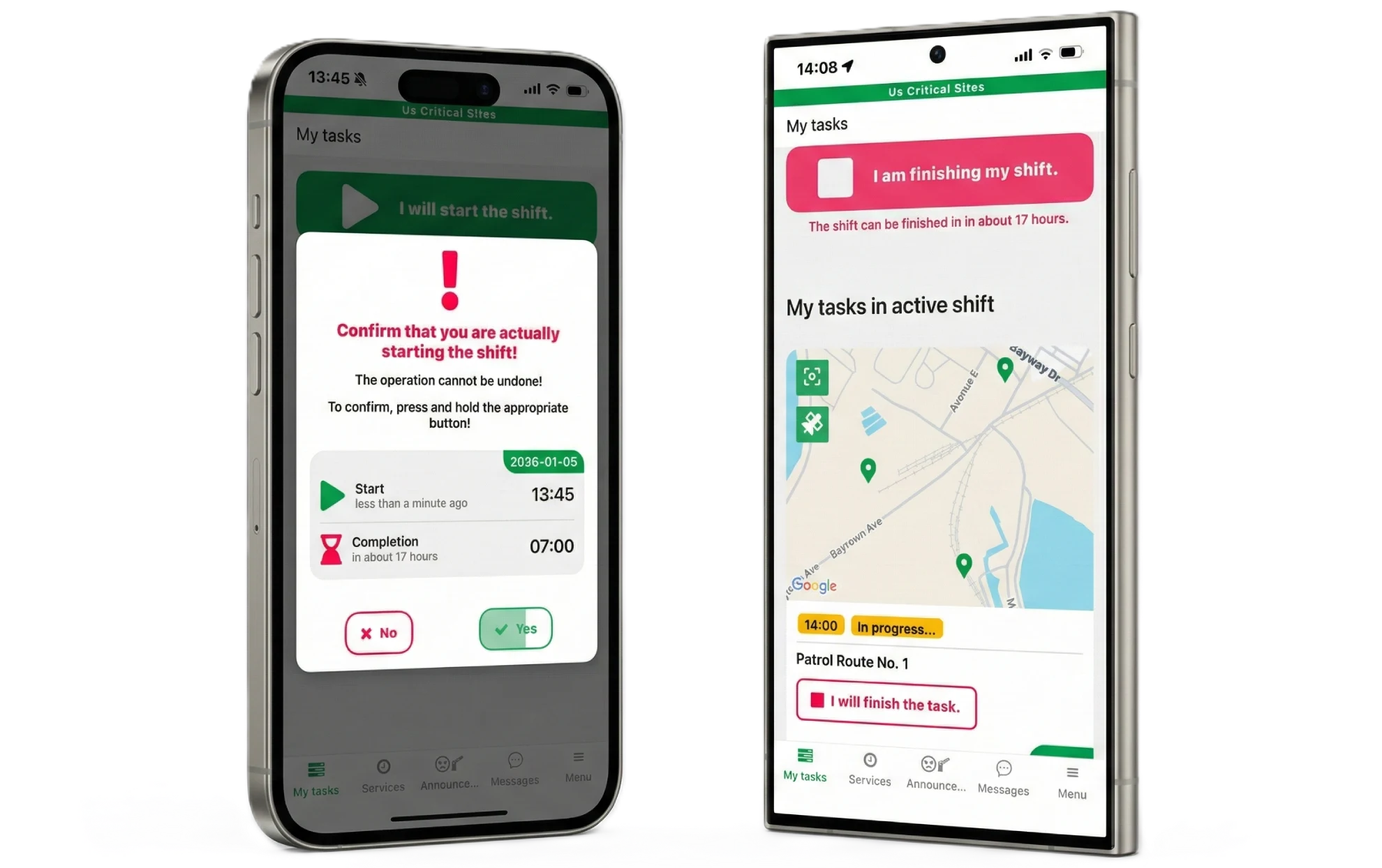
- The guard taps Start Shift (explicit start — no background tracking).
- A patrol is selected or assigned.
- Verification activates: GPS (outdoor) or QR (indoor).
- Checkpoints are completed with task confirmation.
- Incidents are reported with GPS coordinates, description, and photos.
- The patrol ends and reporting is generated automatically.
This lifecycle is the difference between “having logs” and having verifiable patrol proof.
Why paper logs and hardware-only methods fail in 2026
Paper logs are easy to lose, easy to falsify, and weak in audits.
Hardware-only methods add friction and cost, and often fail to prove movement in context.
If patrol data can be edited after export, it is not evidence.
A modern workflow keeps evidence connected to the moment it happened — not assembled later.
Why the mobile app is only half the workflow
The mobile app creates patrol proof. The web dashboard is where managers and clients validate it.
- real-time patrol visibility
- route history reports
- incident logs
- Excel (XLS) exports
- read-only inspector access for clients and audits
Patrol proof is created on mobile, but validated on the web.
Without the dashboard, you don’t have operational clarity — you only have raw logs.
Try the patrol workflow (Android & iOS) for 14 days
If your team needs verified patrol proof (outdoor GPS + indoor QR) and a web dashboard for validation, you can test the workflow end-to-end with a free trial.
FAQ — Guard Tour App Workflow (2026)
No. GPS tracking starts only when a patrol begins, and it stops when the patrol ends. Background tracking is never active.
Use GPS outdoors (yards, parking, industrial sites). Use QR indoors or where GPS is unreliable (buildings, malls, residential).
The mobile app creates patrol proof, but validation happens on the web: route history, incidents, real-time visibility, and XLS exports.
QR confirms presence at a point. Patrol proof requires context: time window, patrol status, task confirmation, and incident handling when needed.
Yes. The web dashboard works on mobile via a standard web browser (Google web application), so both parts of the system are accessible on a phone: the mobile patrol app and the web dashboard.